Radio Automation Software Without the Complexity
NextKast is radio automation software built to simplify station operations by combining essential tools into a single, reliable system.
Built-In Radio Music Scheduling
Web-Based Voice Tracking for Radio Stations
Integrated Digital Audio Mixing, Processing & Streaming Encoders
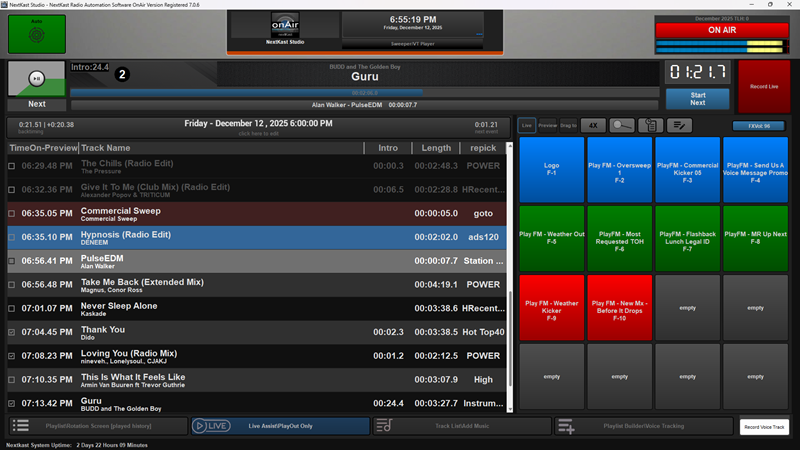
NextKast — An All-in-One Radio Automation Platform
Designed to Replace Multiple Tools with Everything You Need in One System

What makes NextKast Different
No EXTRAS required All in ONE System
Modern-Full Featured Internet Radio Automation Software

Developed by a Radio Broadcaster

PROfessional Version Features INCLUDE:

Simple Top of Hour Operation

Clean Interface, Drag and Drop or Menu Operation

Powerful In studio and Remote Voice Tracking System

Cloud Windows VPS, Windows 7, Windows 10, Windows 11

Built in Podcast rendering

Large variety of audio types supported

Built in or DSP/VST Audio Processing

We innovate with industry FIRSTS
“BTW absolutely LOVE nextkast… stable stable stable
I use it for our in park radio stations for the San Diego Zoo and Safari Park” – Dave Smith
Nextkast all the way.. Hot Hitz 80’s – Robert L Amos
I have worked with other software when I was at iHeart Radio and NextKast has some even nicer features – Phill Edwards
I had been using another automation and your program out performs and is definitely worth the money – Randy Skaggs
Our DJs are Voice Tracking from around the US using Nextkast and Love it! – Joe Agostino
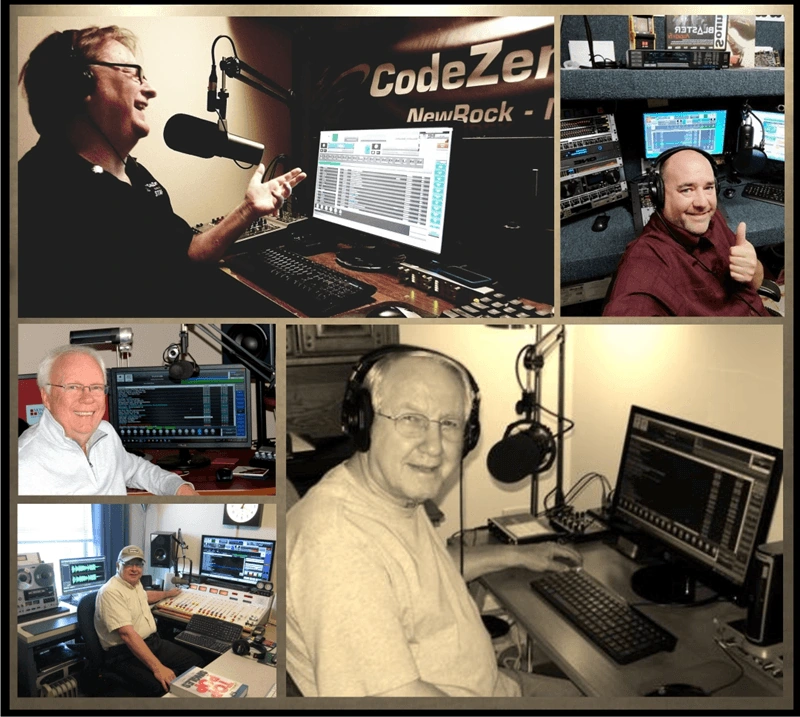
“Thought you might like to see my “home” studio (pic attached)where I produce my program Look For A Star for 8 radio stations here in Canada using exclusively NextKast….Thank you for everything you do Winston..//Gordon Heffler”
My show on Channel 95 PureGoldOldies.com sounds like the show I did on AM radio in the 60’s and 70’s. Except – NextKast does all the work. Really sweet automation – Craig Stevens.
Customer Reviews and Testimonials
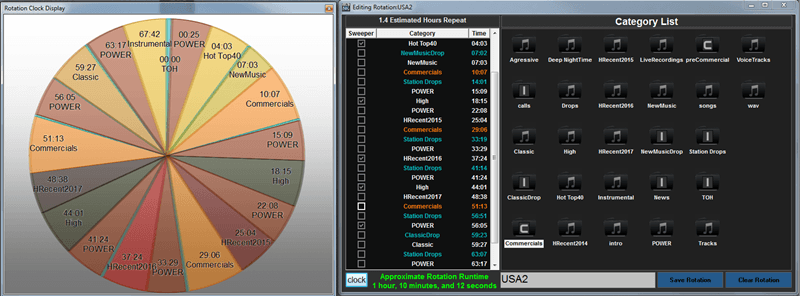
Have NextKast Automatically Create Playlists
- Simple System to set up rotations (AutoDJ)
- Once Rotation is set nextKast runs on its own
- Schedule Rotations
- Run Live in Manual Mode
- Automatic Silence trim eliminates dead air
- Adjustable Crossfade time
- Mark tracks with sweeper start, Intro Until, Outro Start and Next Start
- Each Track can have a custom sweeper
- Click to Repick Feature
- Automatically create playlist 24/7
- Sweeper rotation feature
- + PRO VERSION:
- Schedule Rotations or Playlist
- Can create and import .pls playlist files
- Playlist Generator that uses Rotation schedule to create playlist for use in Voice Tracking
- Much More!!
Integrated Stream Encoders for your Online or OnAir radio Station
- 12 Built In Encoders (Included!)
- Auto re-connect makes sure you stay connected
- Stream accPlus or MP3 many bitrates
- Icecast 1 and 2, Shoutcast 1 and 2, Live 365
- Use ANY stream provider
- Send Text to Players
- Preview music in studio without affecting broadcast using internal mixer
- Listener counts and song tune out/in Statistics
- Re-Stream/Simulcast other web streams using
- Mic bypass direct to stream
- Micro Caster transmit without stream provider
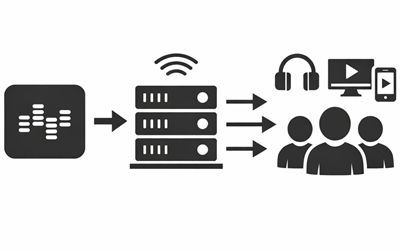

All In One Solution, No Extra charge for ALL the features you NEED
We believe in giving you the most complete ALL IN ONE solution to get your station up and running. No surprise charges for the features you need, Playout, Music Scheduling, Encoders, Sound Processing, Voice Tracking, Serial Trigger(bx) and much more is ALL included. No need to worry about it, we have you covered from start to broadcast for your online radio station!
ALL Versions
Stable, Simple, Cloud drive backup and sync friendly
Nextkast uses (in the case of mp3’s) a system where all meta data and structure is kept in the trusted windows file system(not in a database or flat file), thereby lowering the chance a file corruption that could cause issues with station setup. this also makes it easy to backup an entire station onto a single usb drive. NextKast also accepts .wav .aiff .ogg .m4a .mp2 .flac .mov .mp4 audio files.
This Also allows Nextkast to be fully synced and backed up at all times using cloud drive systems like DropBox, Google Drive, One Drive and others
ALL Versions
Superb Remote VoiceTracking
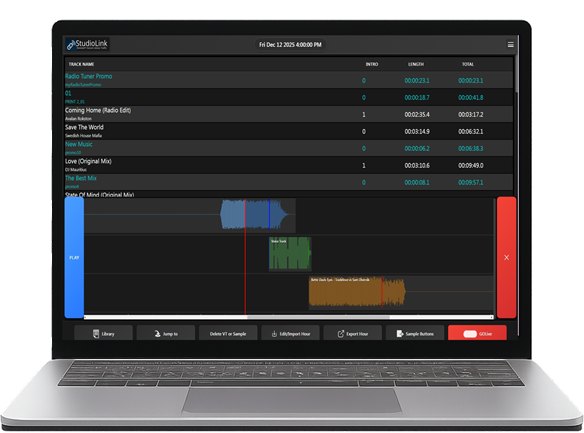
StudioLink Voice Tracking (Broadcast version and higher)
StudioLink Voice Tracking provides powerful, browser-based remote voice tracking designed for professional broadcast workflows. Talent can record, review, and update the current on-air hour, even minutes before airtime, enabling true semi-live remote voice tracking.
Built-in multi-layer audio FX buttons allow quick access to background beds, sweepers, and sound effects during recording. Each hour’s segue and transition points can be customized by the user for precise control over timing and flow.
StudioLink Voice Tracking runs on PC, macOS, and mobile devices using a secure web-based workflow, giving talent professional control without requiring access to server-level settings or the main studio system.
Available in Broadcast Edition and higher.
Grow Your Audience with Audience Pleaser™
Audience Pleaser™ is a unique, built-in music optimization feature that helps radio stations increase listener retention and grow their audience automatically. Using real tune-in and tune-out statistics from your online stream, Audience Pleaser™ identifies which songs perform best with listeners.
When enabled, more popular tracks can be played more often automatically, helping improve engagement without manual scheduling adjustments. Programmers can also view performance statistics, analyze listener behavior, and move tracks between categories — all from a single, streamlined interface.
Audience Pleaser™ gives stations the flexibility to combine data-driven automation with full programmer control, making it easy to fine-tune rotations while keeping the station’s sound on target.
Available in Pro and Broadcast (BX) editions.


Enhanced MusicMaster Nexus Integration
We have fully implemented Nexus Integration with MusicMaster.com, a industry leading scheduling software which provides real-time access to MusicMaster’s database and scheduling intelligence. OnAir Version ONLY
Short Elements, Lets GO!
Because Our Audio Engine is specifically designed for demanding use, we use as many players as needed to get the job done. Quick transitions are not a problem. The entire audio chain in completely digital, providing a pure, clean and superb sound experience.
Pro and BX Version
Playlist Macros
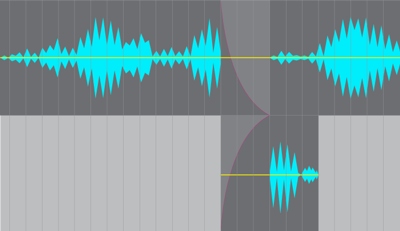
NextKast has several powerful playlist macros available
when creating rotations. These macros allow for greater control of your playlist with custom track play based on criteria, traffic merging at exact position, live breaks (turn on mic and count down for live segment) and Much More.
BX Version
USA Based Support and Custom Features Available
As an Innovator in the Radio Automation Software market we are willing to work with you to achieve the technical needs you require to create amazing radio. Feel free to contact us with your custom needs…
let’s talk!


Built In support for creating Station Networks that Share content
Nextkast has built in support to have 1 main station with music, imaging, ads, and Voicetracks, and then syndicate that content to many other stations all playing local imaging and commercials. One main content provider can be shared in many markets with each affiliate having the ability to localize needed content.
OnAir Version
Easy ReRun Option
Built in re-run schedule the can be set to re-run voicetracked hours as desired(ex. Overnight). In addition a record schedule that can automatically record live radio and save automatically.
BX Version


1 hr. Podcast / Show Syndication in 5-10 Minutes
Built in method to render a Playlist to an MP3, perfect for creating voicetracked radio shows as podcast, simply build playlist, voicetrack and then render to mp3. Cue sheet is also generated with this feature.
Pro and BX Version
Full Control of Hour Segue Points
Simple Segue editor built into the remote voice tracker, to allow remote VT talent to customize crossfade points for any hours generated playlist.
BX Version
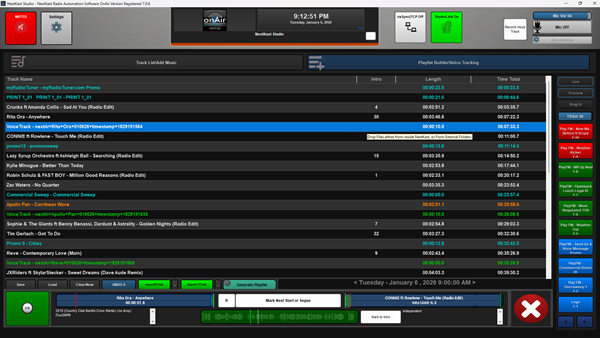
Don't Worry Move the Track
The ability for a user to move songs from category to category without the need to re-generate log/playlist is default behavior.
Repick track in Current Hour
Track re-pick in generated playlist mode, you can ask nextkast to replace a song in generated playlist mode in an active hours playlist from the same category.
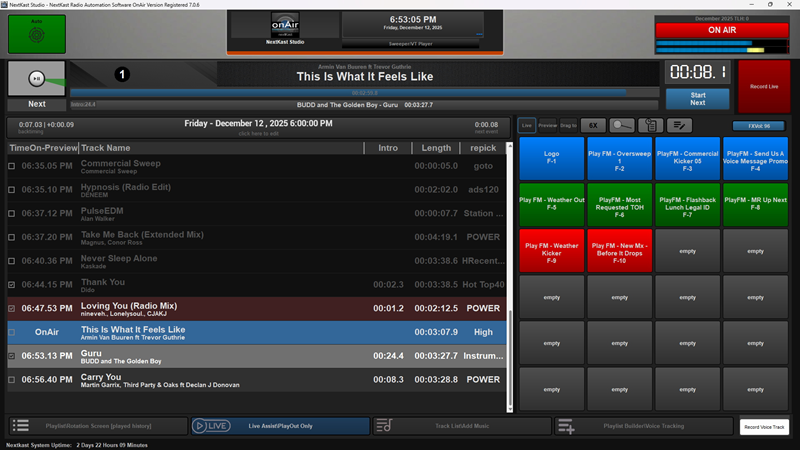
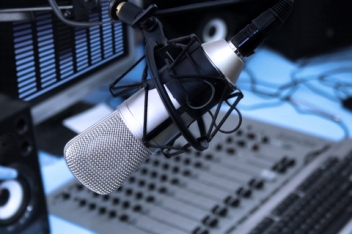
External Mixer, No Problem!
A simple Line In method that allows the routing of sound out of Nextkast into a audio mixer, then mic and other sources are mixed, then the mixed audio is sent back into nextkast directly to the encoders.
We Listen to YOU!
We are constantly in taking feedback from customers and releasing new versions many times a year.
Quickly Mark Cue Points
Quickly mark cue points on import window(without having to open a new window) or choose to double click on track and view a larger waveform view to more precisely mark cue points.
Multi-pass Scheduling
In the Broadcast version we have multi pass scheduling/playlist generation (iPass) that allows for categories with higher priority to schedule first and lower priority categories to schedule last, this gives higher priority categories artist separation bias (desired in some formats). Also the ability to use day segment separation to force tracks to evenly distribute between all vt talent.
Real Time AutoGain
Auto-trim and segue points can be changed in real time, no need to recalculate cross fade points for entire library, those are calculated at playout. This saves time on music import and adjusting of fade times and auto trim settings.
Free Producer Utility Included
Free Management utility that allows for a separate app to manage and create Categories, Import music, Voice Track, and Much More!
Features That Make your Station Sound Professional
Adjustable Cross fade Times, Easy to implement Sweepers, Intro and Outro Marks, automatic Silence Trim, adjustable Audio Processing and many more features that give your station a professional sound.
Run In Auto-Rotation Mode (Auto DJ)
Create one rotation or many and just let them run, nextKast will separate songs and Artist automatically, and will run through and pick songs automatically. Our EXCLUSIVE Audience Pleaser feature will pick the most popular songs when enabled. Audience pleaser values can be scheduled.
Schedule Rotations or Playlists as needed
Rotations or Playlists can be scheduled to start at hour or minute or second intervals in weekly format
Built In Powerful Voice Tracking and Playlist Generation
Generate playlist up to 30 days in advance and pre-record and place voice tracks in. Playlist generator uses rotation scheduler, which makes it seamless.
Microphone Input
Run Microphone directly into nextKast, set attenuation level and mic level. Set mic to run directly to stream to avoid delay in ear. Pro and Broadcast version has selectable built in Mic Processing.
Record your shows Live
Built in recorder to record your shows and re-play them later
Assignable Audio FX buttons
Assign up to 100 sound fx buttons/music beds with shortcut keys